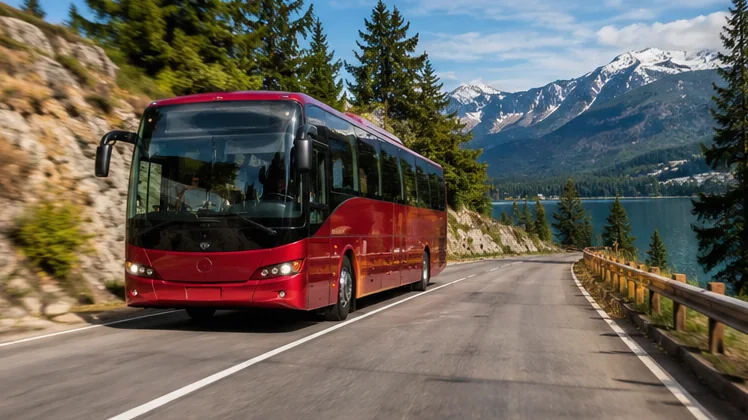
Bus Simulator free download is easier than most people expect, because Bus Simulator : Ultimate by Zuuks Games costs nothing to install on Android phones, Android tablets, iPhones and iPads. The game earns money through optional in-app purchases and ads, so the install itself is free from every official store page.
Picking the right source matters more than speed. Copycat apps with similar names appear in every store, and modified packages from unknown sites can carry unwanted code. The sections below show which source fits each device, what to check before tapping install, and how to get through the first launch without errors.
Where the Free Download Comes From
Zuuks Games publishes the game on Google Play and on the Apple App Store. Both listings show the developer name Zuuks Games, and both label the title as free with in-app purchases. Those two store pages are the cleanest way to install, because updates arrive automatically and purchases stay tied to your account.
Android players also have a direct package option. The main download button on this website starts the latest Bus Simulator : Ultimate package from APKPure, which delivers large games as an XAPK file. An XAPK bundles the app and its extra game data, so it needs an installer that understands that format.
| Source | Device | What you get | Updates |
|---|---|---|---|
| Google Play | Android phones and tablets | Standard one-tap install | Automatic through Play |
| Apple App Store | iPhone and iPad | Standard one-tap install | Automatic through the App Store |
| Direct XAPK package | Android devices | Game package file for manual install | Download the newer package again |
Downloading on Android Through Google Play
Google Play is the smoothest route for most Android owners. Open the Play Store, search for Bus Simulator : Ultimate and confirm that Zuuks Games appears under the title. The package name shown in the page address is com.zuuks.bus.simulator.ultimate, which is a quick way to spot the genuine listing among lookalikes.
Tap Install and keep the phone on Wi-Fi. The game is a large download with detailed cities and licensed buses, so a mobile data connection can run through a monthly allowance quickly. Leave a few gigabytes of free storage to cover the install, the extra content and future updates.
Quick Checks Before You Tap Install
- The developer line reads Zuuks Games, not a similar-sounding studio.
- The listing says the game contains ads and offers in-app purchases.
- Your device has enough free space for a large simulation game.
- Battery is above half, or the phone is on a charger.
Installing the Direct XAPK Package on Android
The direct package helps when Google Play is unavailable on a device or blocked in a region. After the file finishes downloading, open it with an XAPK-capable installer such as the APKPure app. The standard Android installer does not read the XAPK format, which is why tapping the file directly can show an unsupported file message.
Android will ask you to allow installs from the installer app the first time. Grant that permission only for the installer you trust, finish the install, then switch the permission off again in Settings. That small step keeps random apps from installing packages later without your knowledge.
Downloading on iPhone and iPad
Apple devices use the App Store only. Search for Bus Simulator : Ultimate, check that Zuuks Games is listed as the developer, then tap Get and confirm with Face ID, Touch ID or your Apple Account password. The App Store page also shows the age rating and the list of optional purchases.
The download continues in the background, and the icon fills up on the home screen as it progresses. Keep the App Store open on Wi-Fi if the progress looks stuck, and restart the device if the icon stays grey for a long time. Offload unused apps first when storage is tight.
Family Settings Worth Turning On
- Ask to Buy or purchase approval for children's accounts.
- A password requirement for every in-app purchase.
- Screen Time limits if the game is played during school weeks.
The First Launch and Extra Game Data
The first launch takes longer than later ones. The game prepares maps, buses and sound files, and it may download extra content once it opens. Stay on Wi-Fi with the screen on until the main menu appears, since locking the phone mid-download can pause the process and force a restart.
After the menu loads, choose your language, accept the terms and pick a control style. The store listing mentions tilt steering, on-screen buttons and a steering wheel. Trying each option on a short first route shows which one feels natural before you commit to longer trips.
| Control style | Feels best for |
|---|---|
| Steering wheel | Precise turns at bus stations and tight corners |
| Tilt | Relaxed highway driving on larger phones and tablets |
| Buttons | Quick sessions and one-handed play |
Fixing Common Download Problems
Download errors usually trace back to storage, connection or account issues. Clearing space solves the majority, followed by switching to a stable Wi-Fi network. On Android, clearing the Play Store cache from the app settings often fixes downloads that sit at pending for a long time.
- Stuck at pending: finish other downloads in the Play Store queue, then retry.
- Insufficient storage: remove large videos or unused apps and free more space than the game needs.
- XAPK will not open: use an installer that supports XAPK instead of the default file manager.
- Game closes on launch: restart the device and confirm the system software is up to date.
Read the PC emulator setup walkthrough if you would rather play on a computer, or browse the full guide library for driving and settings help.
Keeping Your Progress Safe Between Devices
Progress feels precious after a few weeks of routes and office purchases. Before switching phones or reinstalling, open the game settings and look for any account or cloud save option, then connect it. Store purchases stay linked to the Google or Apple account that paid for them.
Keep the same store account on the new device, install the game from the same source and sign in before starting a fresh career. Restoring first avoids overwriting a long-running save with a brand-new one by mistake.
Conclusion
Bus Simulator free download works best through the official store pages, with the direct XAPK package as a practical option for Android devices without Google Play. Confirm the Zuuks Games developer name, stay on Wi-Fi, keep plenty of storage free and let the first launch finish its setup.
Once the game opens, pick a control style, run a short route and adjust from there. Head back to the download section any time you need the package or store links again.